Hours you can trust, on every pay run
TockLogic is one place for teams that run on hours — build the schedule, track time, approve what actually happened, cost it, and bill your clients for it. Staff clock in from a phone; managers see it live; overtime is worked out the same way every time.
Web dashboard + iOS & Android apps. Your data stays yours.
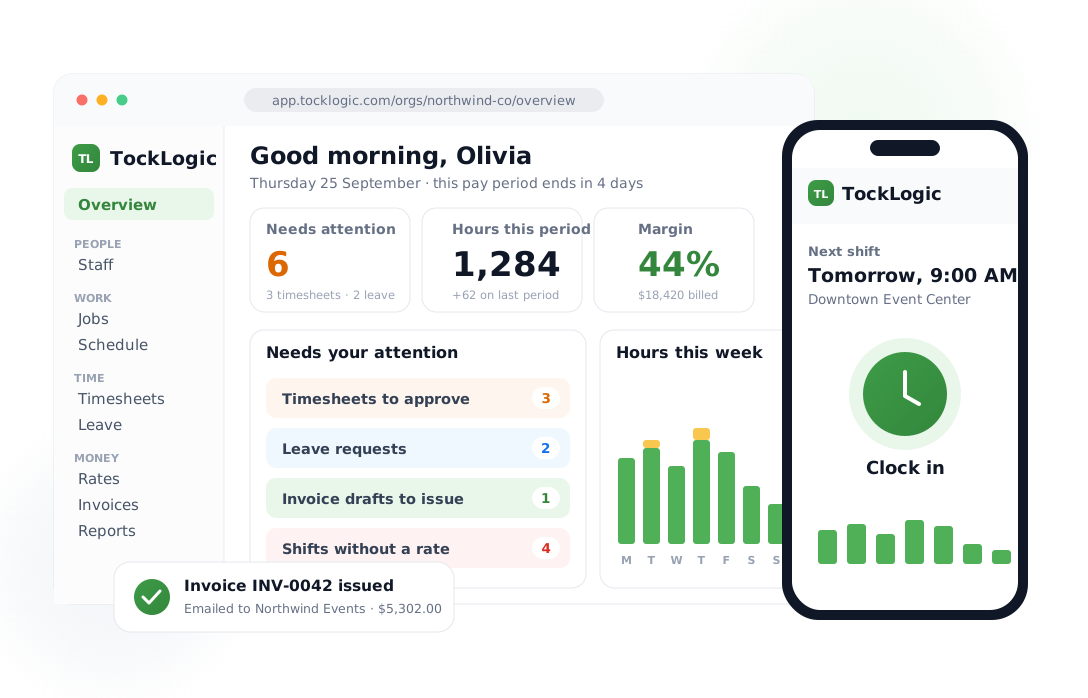
From clock-in to invoice, without the spreadsheet
The week runs the same loop every time. TockLogic is the tool that loop lives in — so nothing is re-keyed, and the hours that reach payroll and your client invoices are the hours the team actually worked.
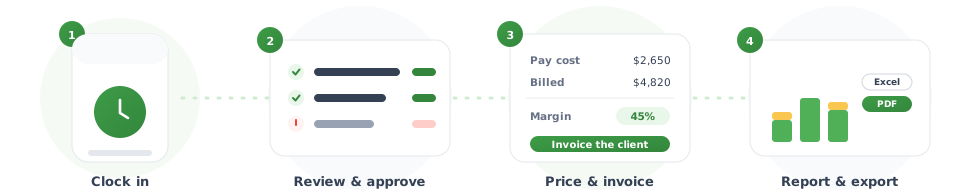
Clock in
Staff start and end shifts from the mobile app, or by scanning the job's QR code. Breaks, job codes and notes come along with the entry.
Review & approve
Managers see the week as it fills in, fix the odd missed punch, and approve — with a record of who changed what and when.
Price & invoice
Hours are priced with your pay and bill rates, so you see cost and margin per job — then the schedule becomes a client invoice, as a PDF or an email.
Report & export
Ready-made payroll, overtime and job reports, or build your own — as CSV, Excel or a PDF with your logo on it.
Overtime worked out right — and the same way every time
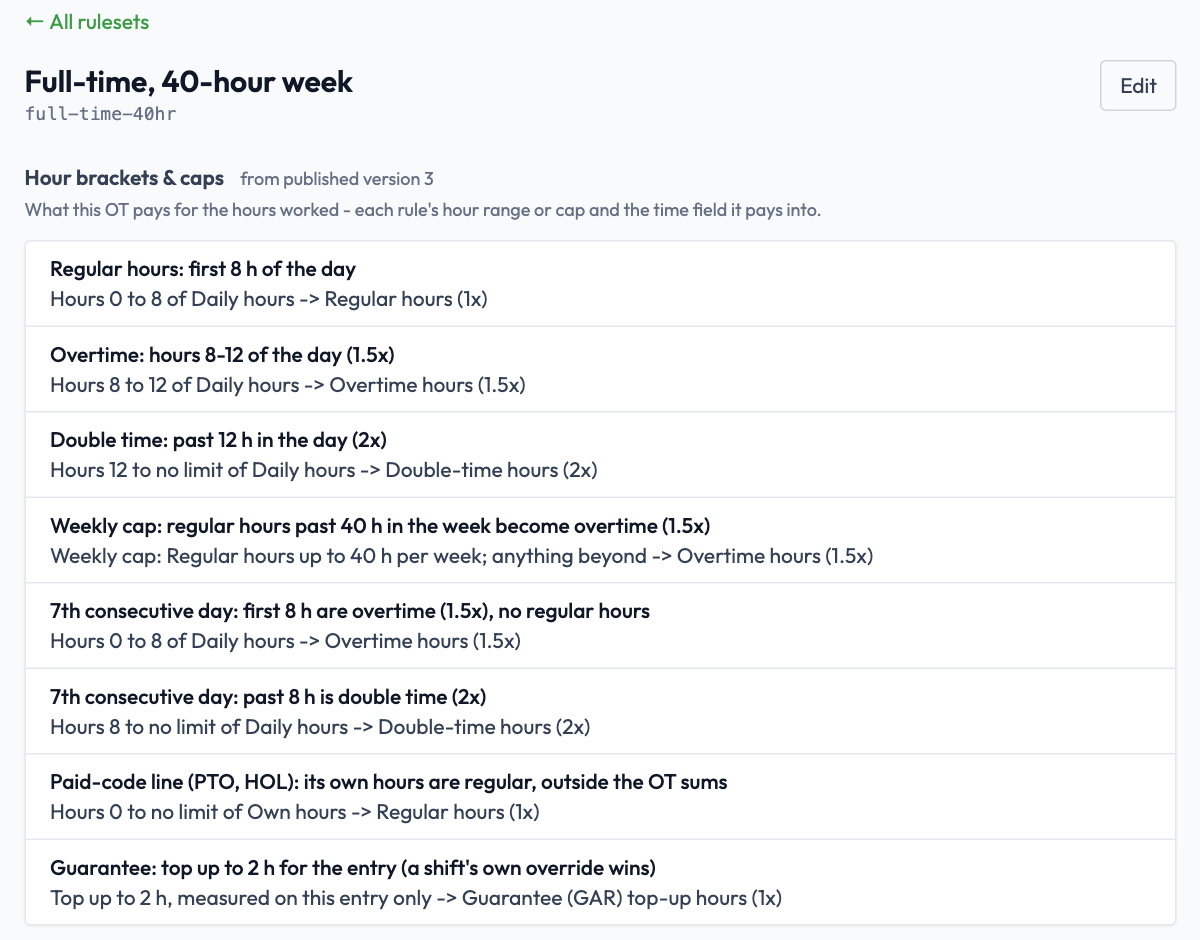
The hard part of hourly pay isn't the clock, it's the rules. TockLogic runs a dedicated overtime engine: daily and weekly thresholds, rest-hours and short-turnaround detection, holiday and shift-differential premiums, and rounding — configured per contract, versioned, and auditable. Paste in a contract or CBA and AI drafts the starting rule set for you, ready for review before it ever goes live. Every rule set is tested against real time entries before it can affect a paycheck, and "what applied on this date" is always a real answer.
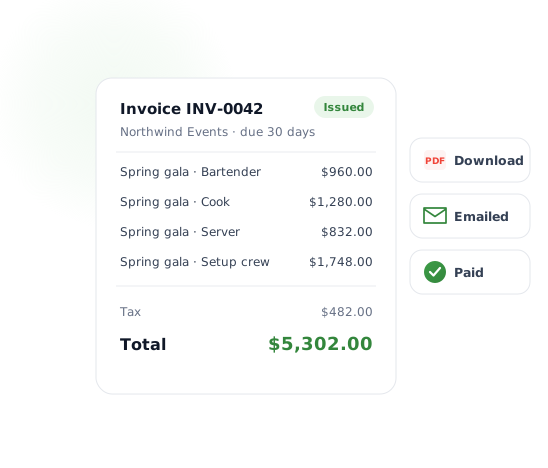
Know what the work cost, and bill for it
Set pay and bill rates once and every shift is priced the same way — so cost and margin per job are a number you can read, not a spreadsheet you build. When the job is done, pick it, review the lines, and issue an invoice to your client as a branded PDF or straight to their inbox. Each hour is billed once, and you can see what's been paid.
The answers people ask for, ready to run
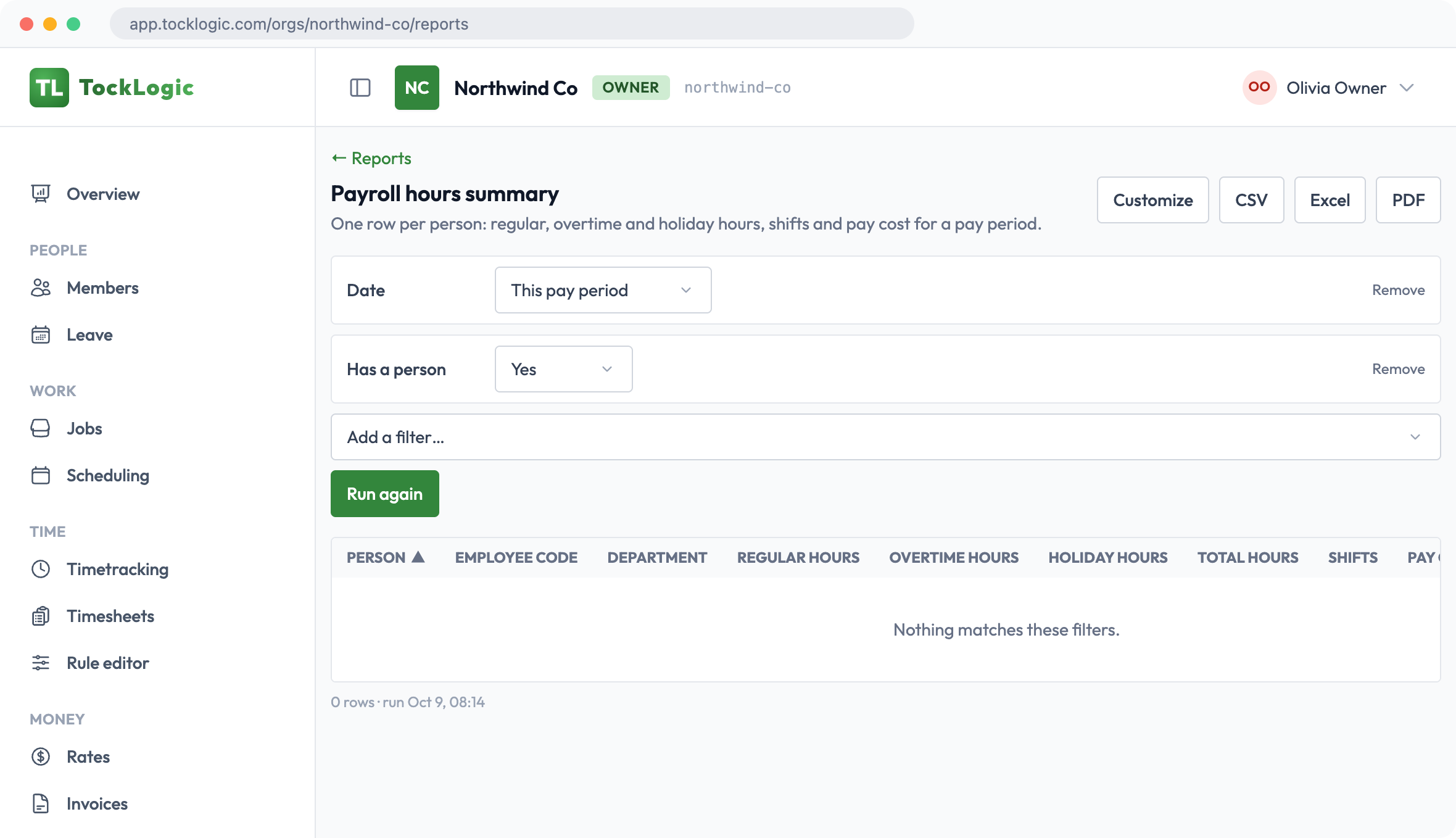
Payroll hours, daily job summaries, printable time cards, overtime, job profitability and leave reports come ready-made. Need something different? Build your own from the same data — pick the columns, group and filter, save it and share it with the team. Export to CSV, Excel or a PDF with your logo, and big exports build in the background and tell you when they're ready.
Leave that approves itself out of the inbox
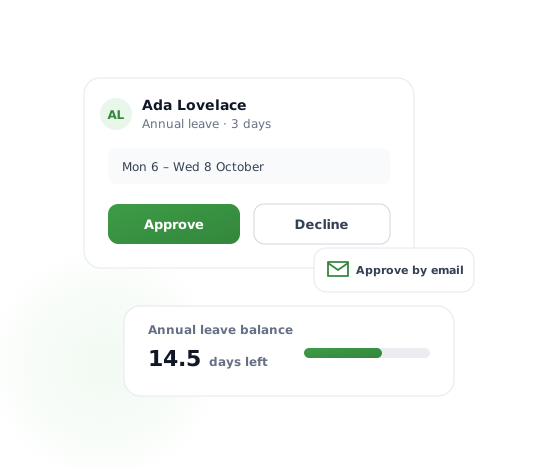
Staff request time off from their phone and see their balance. The manager gets an email with Approve and Decline right in it — one tap, no login, and a link that only works once. Changed their mind? Staff can cancel approved leave until it starts.
Every shift, right in their pocket
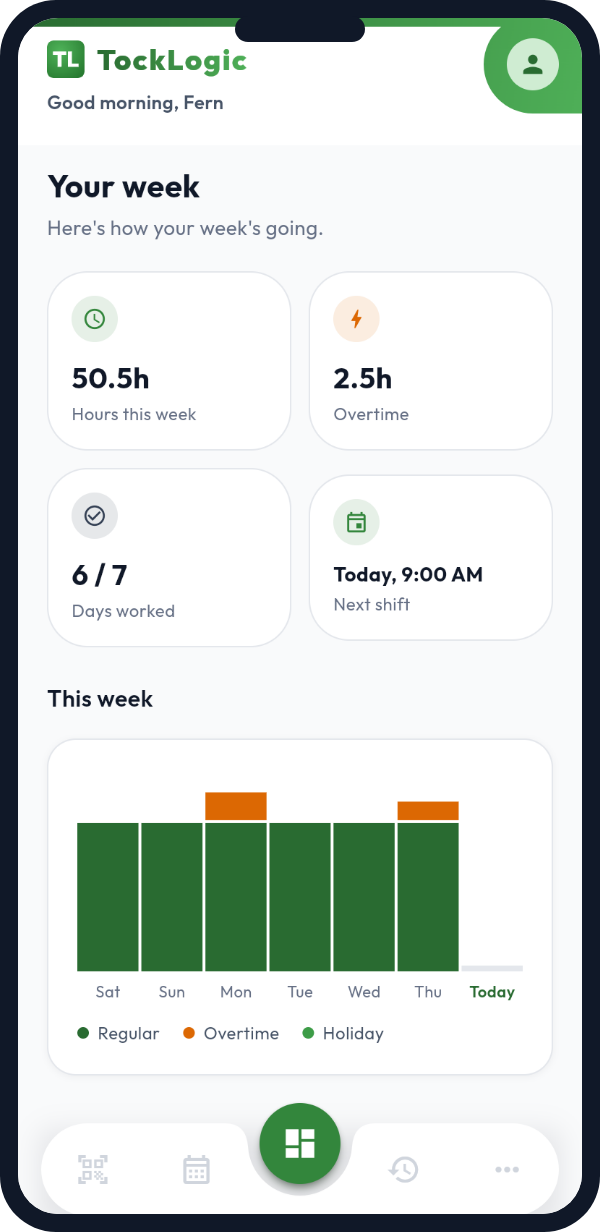
TockLogic ships as a real iOS and Android app — not a mobile-friendly website bolted on after the fact. Staff clock in with one tap, see their next shift, and get notified when a shift is assigned to them. It's how most of your team will use TockLogic every single day.
One screen for the whole team's time
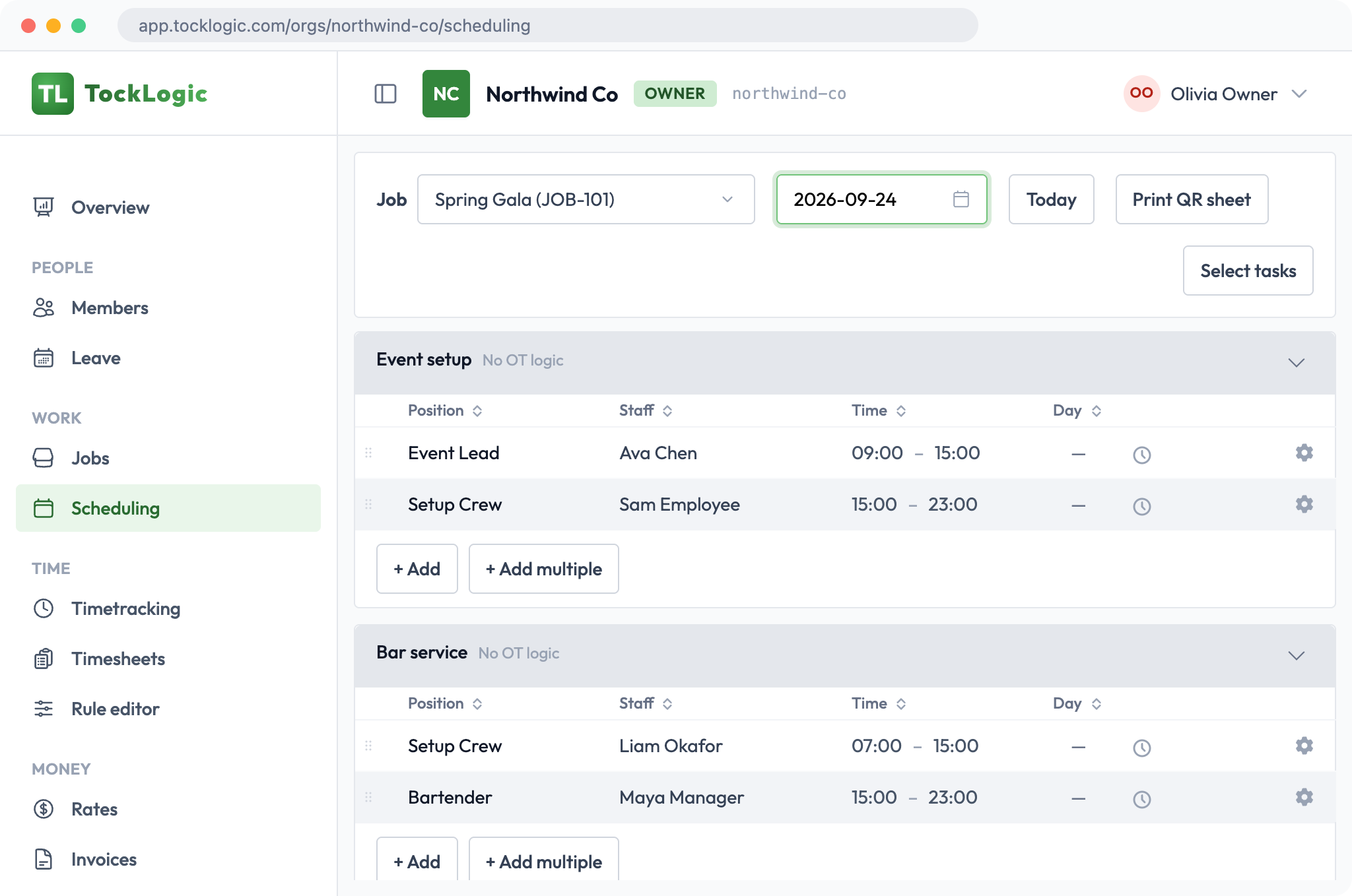
TockLogic is the app, not a data feed you have to build a UI on top of. Everyone gets the view that fits their job — a worker sees their own hours and next shift; a manager sees their team; an owner sees the whole operation.
Time tracking
Clock-in with breaks and job codes, missed-punch fixes, and a full edit trail.
Shift scheduling
Plan each job, assign your people, and see coverage and hours as you go.
Overtime
Daily and weekly thresholds, rest-break rules and premiums, applied consistently.
Reports
Ready-made and build-your-own, exported to CSV, Excel or PDF with your logo.
Rates & costing
Pay and bill rates, priced on every shift, with margin per job.
Client invoicing
Invoice clients from the schedule at your bill rates, as a PDF or by email, and track payment.
Time off
Requests, balances and approval by email or in the app.
Mobile app
iOS and Android — clock in, see your schedule, request time off, get notified.
Roles & permissions
Owners, admins, managers and workers each see and do exactly what they should.
Start free, grow into the rest
Scheduling, time tracking, leave and ready-made reports are in every plan, with a free 60-day trial. Add pay and bill rates and your own reports on Growth, and client invoicing on Business. You pay for the people who actually worked that month. See the plans, or talk to us about larger teams and single-tenant deployments.
Just need the overtime engine?
Building your own payroll or HR product? RuleVerdict gives you the same overtime rules as an API: set them up once, call one endpoint, and get auditable results back. There's a free tier to build on.
See how it works, then try it on your team
Eight short videos of the real app, then start free for 60 days.